

Vendors
Keep jobs moving with clearer communication
Revoscape is being built to give vendors and property management teams a clearer way to coordinate maintenance. Keep the assignment, schedule, work updates, photos, estimate, and invoice together so everyone has the context for the next step.
Explore the vendor workflow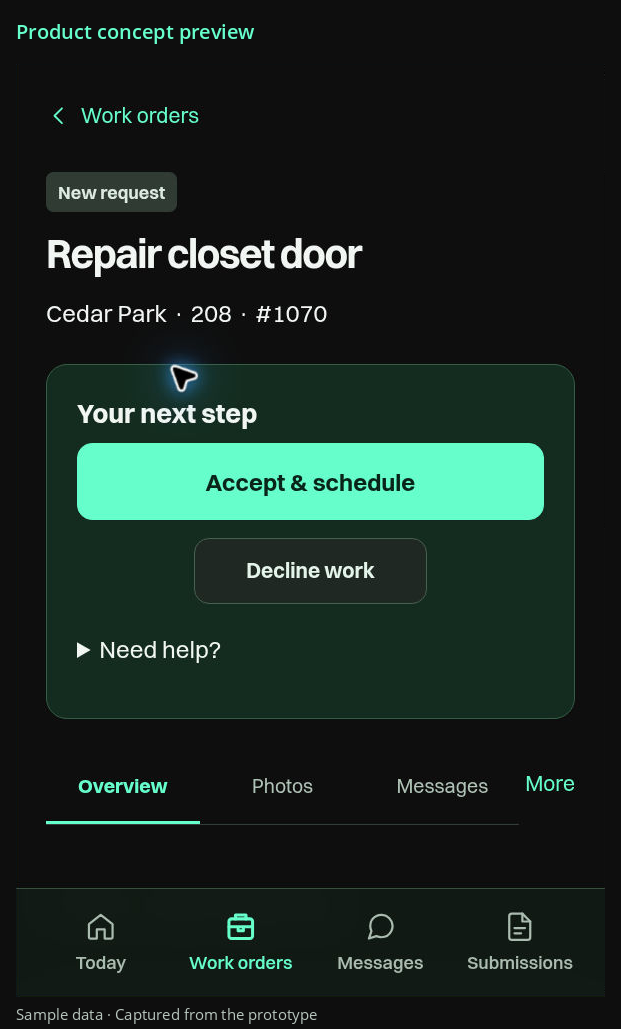
Watch the five-second mobile preview
Product concept preview. Sample data. Playback starts only when you choose Play.
Illustrative maintenance workflow
A clear request to start from
Illustrative maintenance workflow
Show what happened on site
Illustrative maintenance workflow
Keep the same job history
RespondChoose a view above
Reduce the back and forth around each job
Repeated requests for a status update or a missing photo interrupt the workday. A question about an invoice can mean searching old messages for the original scope. Keep those details with the job so the property manager can find the information you have already provided.
Respond to a clear request
Review the requested work and keep your response, estimate, and scheduling updates with the job. If the property manager asks for a revised estimate, keep the changes clear before the work is awarded.
Show the work and explain changes
Keep work updates and photos with the job, including details that explain what happened during a visit. When the scope changes or another visit is needed, a shared record gives the property manager useful context for the decision.
Make estimates and invoices easier to review
Keep your estimate and invoice alongside the work they describe. If the property manager has a question about a charge or the reported completion, both sides can refer to the same job history when discussing it.

See the vendor workflow
For vendors working with property management teams, the workflow keeps job details, responses, and supporting records connected. See how your part fits into the full process, then explore the product updates preview.